
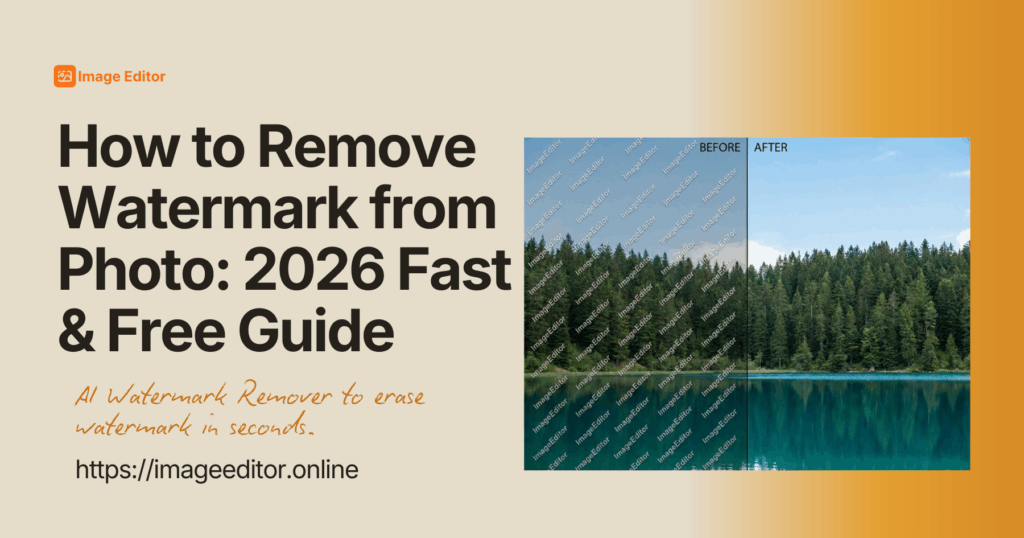
Have you captured the perfect photo, only to realize it is ruined by an ugly date stamp, a brand logo, or messy copyright text? Don't panic. In 2026, solving how to remove watermark from photo does not require Photoshop skills or hours of manual editing. You simply need to use our AI Watermark Remover. Just upload your photo, and the AI will automatically identify and "eat" the watermark. The entire process takes about 3 seconds, is completely free, and requires zero technical skill.
Want to know how to remove watermark from Photo ? Keep reading.
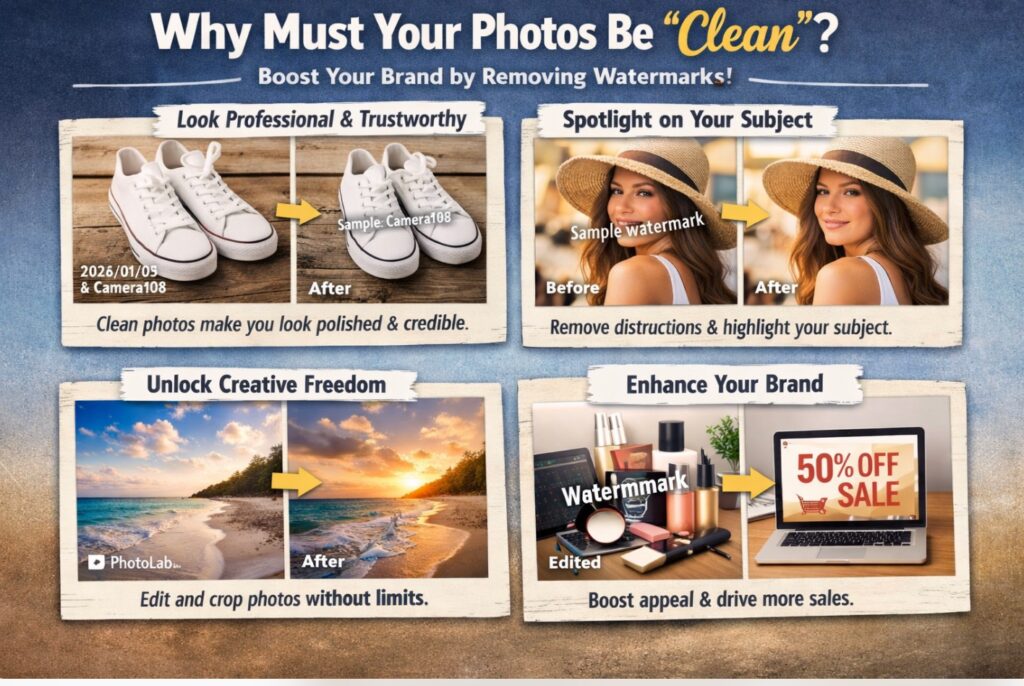
Why Must Your Photos Be "Clean"?
In today's visually driven internet era, the quality of a photo determines whether someone likes your post or scrolls right past it. A watermark acts like a "stain" on your image. It isn't just ugly; it causes real damage to your personal or professional brand.
It Makes You Look Professional and Trustworthy
If you are running an e-commerce store, or posting on Instagram or Pinterest, your photos are your digital storefront. If your product image is covered in messy camera timestamps (like "2026/01/05") or logos from free editing apps, viewers immediately perceive you as "amateur" or "careless."
By using AI Watermark Remover to automatically clean your assets, you instantly elevate your brand image. A clean, high-resolution photo signals competence. In the competitive digital market, learning how to remove watermark from photo is the cheapest and fastest way to increase trust and conversion rates.

Returning the Spotlight to the Subject
Every photograph has a hero - a focal point. It might be a stunning landscape, a model's face, or a specific product you are selling. Watermarks are designed to be intrusive; they often sit in corners or stretch across the center, fighting with the hero for attention.
When you master how to remove watermark from photo, you are essentially "removing the makeup" from the image. You strip away the distractions so the audience's eyes are drawn back to what truly matters.
Unlocking Creative Freedom
A watermarked photo is a "dead" photo. You cannot crop it easily because you might cut off part of the image while trying to hide the logo. You cannot apply your own filters or text because they will clash with the existing marks. Once you remove the watermark, the image becomes flexible again. You can resize, crop, and edit it freely, making the content truly yours.
The 2026 Tech Revolution: Why No More Manual Brushing?
In the past, removing a watermark meant using a mouse to paint over the text pixel by pixel. If your hand shook, the photo was ruined. Why can we now do this fully automatically?
AI Now Has "Eyes"
This is the core strength of our AI Watermark Remover. Traditional tools were "blind"; they waited for you to tell them where the problem was. Modern AI models have been trained on millions of images. They "see" the image just like a human does.
Whether it is a tiny date stamp in the corner or a large semi-transparent logo in the center, the moment you upload the photo, the AI has already locked onto these foreign objects. It distinguishes between the "watermark layer" and the "background layer" instantly.
AI Has Learned to "Paint"
Removing the watermark is only half the battle. The hard part is filling the hole left behind. If the watermark is covering a complex background - like a brick wall, a forest, or ocean waves - old tools would leave a blurry smudge.
Our AI uses "Generative Fill" technology. It analyzes the surrounding patterns and textures. If it sees bricks, it draws new bricks. If it sees water, it draws new ripples. This is called "seamless repair," and it ensures that how to remove watermark from photo results in a natural-looking image.

How to Remove Watermark from Photo (3-Step Idiot-Proof Guide)
Do not be intimidated by technical terms. The actual operation is simple enough for a child to use.
Step 1: Upload Your Photo
Navigate to our online tool page. You will see a large, obvious "Upload Image" button. Click it to select the photo from your phone or computer gallery. Alternatively, you can just drag and drop the file directly onto the screen.
- Pro Tip: The clearer the original photo, the cleaner the removal result will be. High-resolution input leads to high-resolution output.

Step 2: Hands Off, Wait 3 Seconds
Once the photo is uploaded, you do not need to do anything.
- You do not need to draw a box around the watermark.
- You do not need to type any text commands.
- You do not need to use a brush tool.
The system automatically starts working. It detects the distraction, erases it, and reconstructs the background. This is the fastest, most stress-free way to solve the problem of how to remove watermark from photo.

Step 3: Download and Save
In the blink of an eye, a clean image appears. If you don't look closely at the "before" version, you might not even realize there was ever a watermark there. Click the "Download" button to save the pristine file to your device. Done!

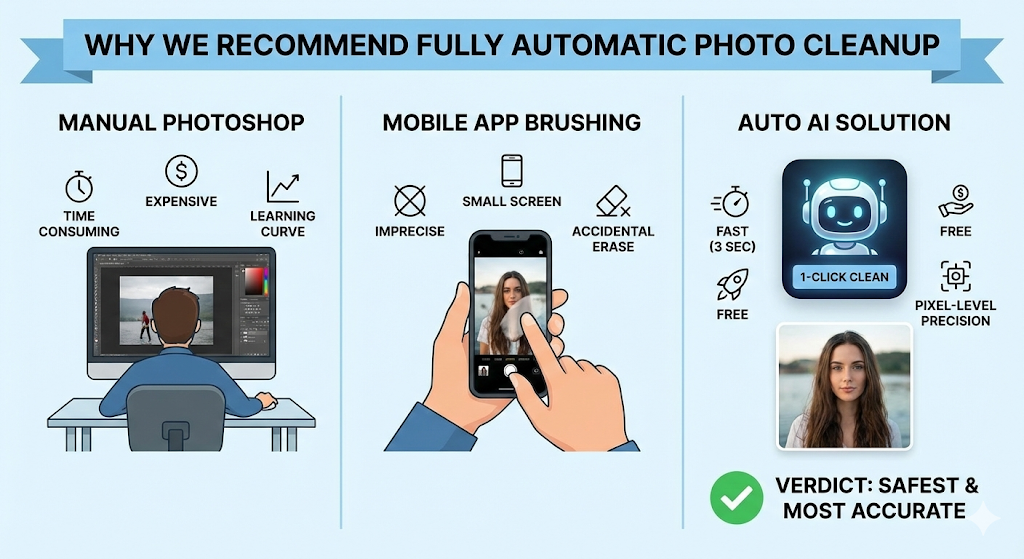
Why Choose "Fully Automatic" Over "Manual Editing"?
There are many ways to clean up a photo, but why do we strongly recommend this fully automatic solution? Let's compare the options.
Manual Photoshop Editing
- Photoshop: You need to buy expensive software, watch tutorials, understand layers, and spend 10-15 minutes manually cloning pixels.
- Auto AI: It is free, requires no learning, and finishes in 3 seconds.
- Verdict: Unless you are a professional graphic designer getting paid by the hour, there is no need to waste time with manual tools.
Mobile Apps with "Finger Brushing"
- App Brushing: Mobile screens are small, and fingers are thick. It is very hard to be precise. You often accidentally erase parts of a face or important background details because you can't see what is under your finger.
- Auto AI: The AI operates at the pixel level. It is 100 times more precise than a human finger.
- Verdict: Automatic detection is the safest and most accurate method for how to remove watermark from photo.
Who Needs This Feature Most?
The skill of how to remove watermark from photo is a lifesaver in many different scenarios.
The Travel Photographer
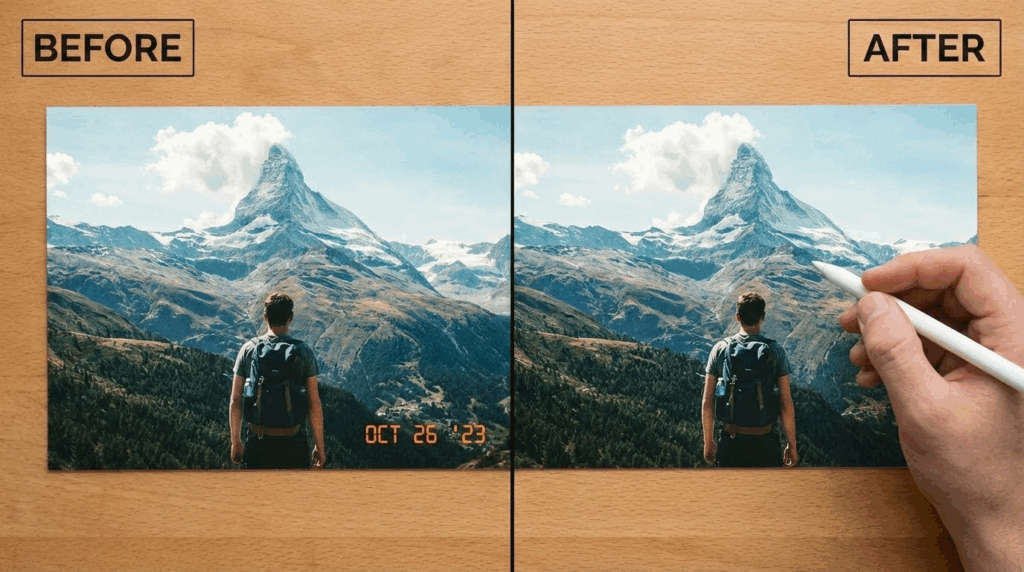
You finally visited the beach of your dreams and took amazing photos, but you forgot to turn off the "Date Stamp" feature on your digital camera. Now every shot has a bright yellow "2026/05/20" in the corner. Use the auto-remover to instantly restore the pure scenery.
The Reseller
You want to sell a vintage handbag or a pair of sneakers. You took photos, but the background is cluttered with text from a previous listing or a camera app logo. By cleaning up the image, the item looks newer and more expensive, helping you sell it faster.
The Office Worker
You are making a PowerPoint presentation for your boss. You found a perfect illustration online to explain a concept, but it has a distracting logo in the middle. Use the tool to clean it up in 3 seconds. Your boss will be impressed by how professional your slides look.
The Family Archivist
Many people have old family photos that were scanned years ago using cheap software that left a "Trial Version" watermark or a digital date on the file. This tool is perfect for restoring these precious memories to their original state, preserving them for future generations.

What If It Gets Tricky?
While the AI is incredibly powerful, you might encounter edge cases. Here are some expert tips.
What if the watermark is on a face?
This is the most challenging scenario because human eyes are very sensitive to unnatural changes in faces. The solution is to always upload the highest resolution original photo you have. The more pixels the AI has, the better it can understand the structure of the eyes, nose, and mouth to reconstruct them naturally.
What if the background is very chaotic (like a crowd)?
Complex, non-repeating backgrounds can sometimes look slightly blurry after repair. If the first pass isn't perfect, try uploading the result and running it through the tool one more time. Sometimes a second pass helps clean up any remaining artifacts.
Will the image quality drop?
Be careful with some free tools that compress your image to save server costs. Always use a tool (like ours) that supports lossless output. If you upload a 4K image, you should get a 4K image back, just without the watermark.
Frequently Asked Questions
We have anticipated your questions. Here are the answers to the 10 most common queries about how to remove watermark from photo.
Is this feature really free?
Yes! We offer a generous free usage allowance. You do not need to pay for a subscription or buy expensive software licenses to experience top-tier AI technology. Our goal is to make the process of how to remove watermark from photo accessible to everyone without cost barriers.
Can I fix multiple photos at once?
Absolutely. The beauty of full automation is speed. You can upload multiple photos one after another. The AI processes them individually without you needing to supervise or manually edit each one. It is highly efficient for batch processing when you need to figure out how to remove watermark from photo from an entire album quickly.
Can I use this on my mobile browser?
Yes. Our platform is 100% web-based. Whether you are using an iPhone, an Android, or a tablet, simply open your browser (Chrome, Safari, etc.) and use the tool. It is the most convenient way to solve how to remove watermark from photo on the go without downloading an app that takes up storage space.
How does it handle semi-transparent watermarks?
The AI is very smart. It analyzes the "luminance" and contrast of the image. Even if the watermark is a faint, see-through text covering the whole image, the AI can detect the pattern anomaly and lift the watermark layer off while keeping the image underneath intact. This advanced detection is why our tool is the best solution for how to remove watermark from photo even with complex overlays.
Is it safe to upload my photos?
Completely safe. We take privacy seriously. The photos you upload are used solely for the AI processing. If you do not save them, they are automatically deleted from our servers after a short period. We provide a secure environment for you to handle the task of how to remove watermark from photo without sharing personal data.
Do I really not need to select the area?
Really. That is the beauty of 2026 technology. The AI already knows what a watermark looks like. You just upload, and it does the hunting for you. This eliminates the user error of accidentally selecting too much or too little, making how to remove watermark from photo a fool-proof process.
Will the download have a new watermark?
No. That would defeat the purpose! We help you remove watermarks to give you a clean image, not to replace one distraction with another. Our mission is to show you how to remove watermark from photo and leave your download pristine and ready for use.
Is this legal?
Technology is a tool. Learning how to remove watermark from photo is intended for optimizing your own images, restoring old photos, or processing materials you have the right to use. Please always respect copyright laws and do not use this technology to steal commercial work or remove copyright notices from art you do not own.
What file formats does the tool support?
Our AI Watermark Remover is designed to handle the most popular image formats used on the web and by cameras today. You can upload JPG, PNG, and WebP files. The system handles conversion automatically, ensuring that how to remove watermark from photo is a smooth experience regardless of your file type.
Is there a file size limit for uploads?
To ensure fast processing speeds for everyone, there is usually a reasonable size limit (typically around 5MB to 10MB per image). However, this is sufficient for even high-quality smartphone photos and most DSLR web exports. If your file is too large, a slight compression usually solves the issue without affecting the final quality of how to remove watermark from photo.
Conclusion: Try It Now
In 2026, getting a clean photo is no longer a chore. We have completely simplified the process of how to remove watermark from photo so anyone can do it. Mastering how to remove watermark from photo gives you the power to make your visual content shine instantly.
You don't need to learn technical skills, and you don't need to spend money. Just upload, wait 3 seconds, and a perfect photo is yours. Don't let ugly distractions ruin your masterpieces. Go ahead and try our AI Watermark Remover now. Experience the magic of automatic editing-it is truly the ultimate answer to how to remove watermark from photo!