If you have ever tried using an image generator and didn’t get the result you expected, you are not alone. Mastering how to prompt image generators can significantly elevate the quality of your creative output. Instead of receiving random or unclear visuals, you can guide AI image generation tools to produce high-end results that align perfectly with your vision.
In simple terms, a prompt is the foundational instruction you provide. The more structured your approach to how to prompt image generators, the more professional the final output will be. This guide walks you through the essential techniques to improve your results, even if you are just starting out.
Why Learning How to Prompt Image Generators Matters
Many beginners approach image generators with overly simplistic inputs:
- "a dog"
- "a house"
- "a person"
While these might generate a basic image, they often lack detail and aesthetic appeal. This happens because AI image generation systems require specific data to narrow down the infinite possibilities.
| Input Type | Prompt Example | Likely Outcome |
| Basic | \"a dog\" | Generic, unpredictable breed and style. |
| Optimized | \"a golden retriever sitting in a park during sunset, warm lighting, realistic style\" | Controlled, high-quality, and specific. |
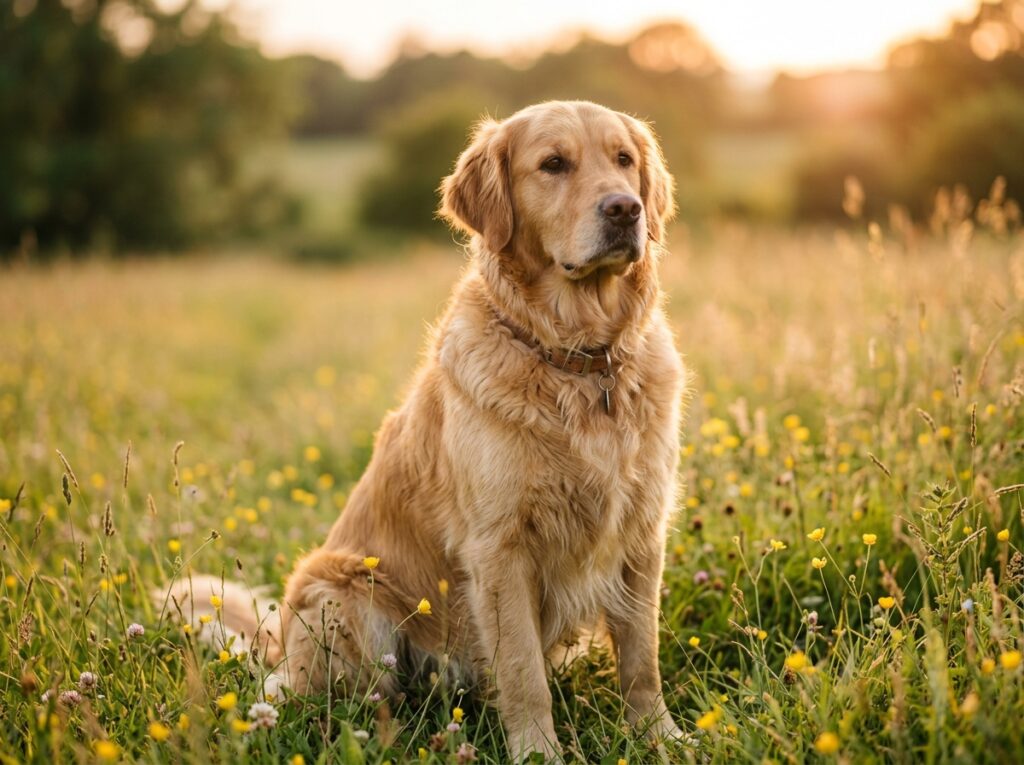
Understanding how to prompt image generators allows you to:
- Maintain total control over the artistic style.
- Improve the accuracy of AI image outputs.
- Minimize trial and error (saving time and credits).
- Achieve professional-grade results faster.
You can think of it like ordering food:
- If you say "food," the result is unclear
- If you say "a bowl of hot beef noodles with extra chili and no cilantro," you are much more likely to get exactly what you want
The same principle applies to AI image generator and prompting.
What is a Prompt in Image Generation?
A prompt is the text instruction you give to an image generator to describe what you want it to create.
It works like giving instructions to a designer. The more specific and detailed your prompt is, the closer the result will match your expectation.
For example:
Simple prompt: "a car"
Improved prompt: "a red sports car parked on a city street at night, neon lights reflecting on a wet road, realistic style"
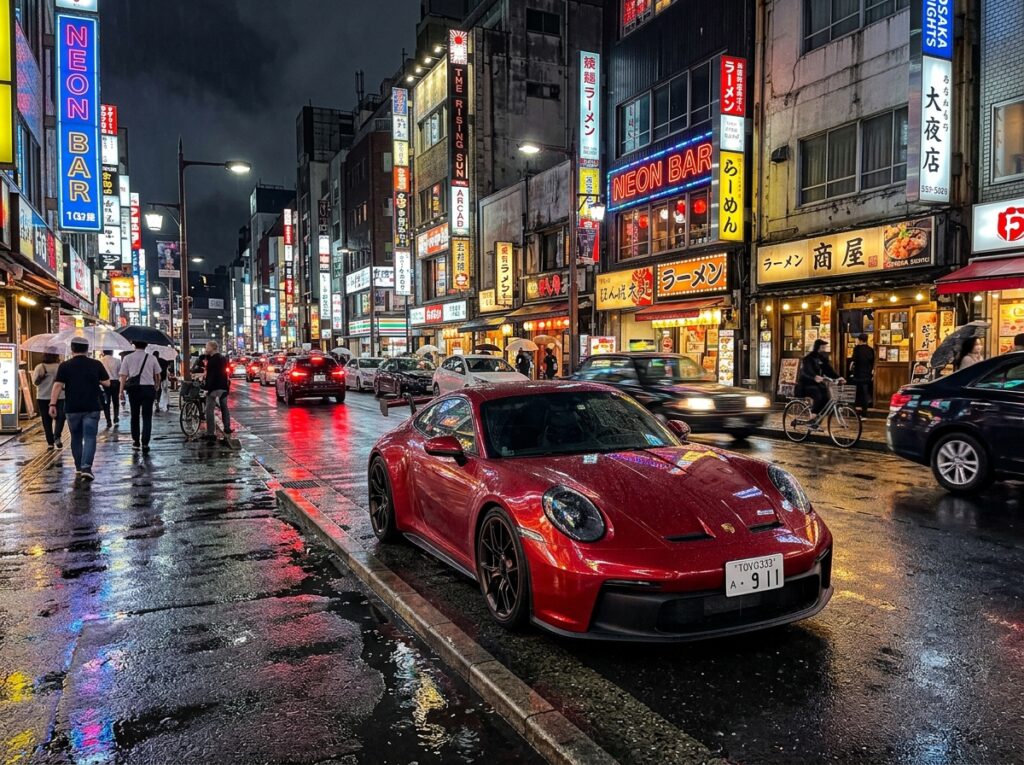
The second prompt is more effective because it includes:
- the subject (red sports car)
- the environment (city street at night)
- visual details (neon lights, reflections)
- style (realistic)
These details help the image generator understand your idea more precisely.
Simple Explanation of a Prompt
A prompt is a combination of words that tells the image generator:
👉 what to create 👉 how it should look
Even small changes in wording can produce very different results in AI image generation.
For example:
- "a cat"
- "a small white cat sitting on a wooden table, soft sunlight, cozy atmosphere"
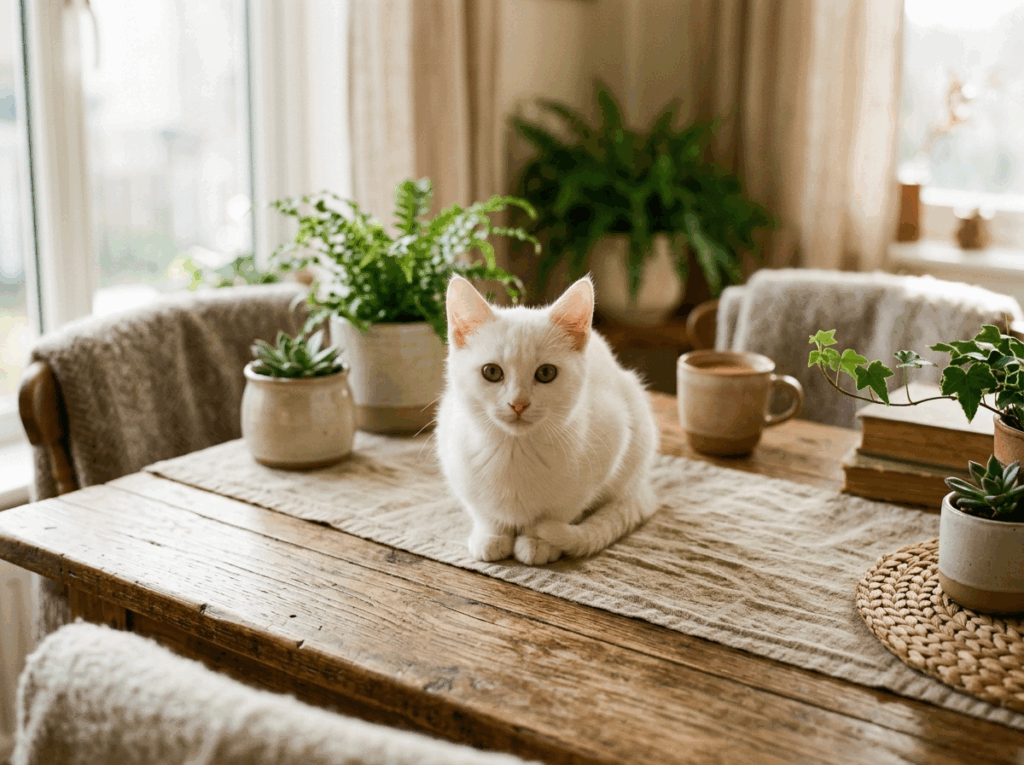
The second prompt provides much clearer direction and typically results in a higher-quality generated image.
How Prompts Affect Image Output
The quality of the output in image generators depends heavily on how the prompt is written.
- If the prompt is too short → the result may be vague
- If the prompt is unclear → the result may not match your idea
- If the prompt is detailed and structured → the result is usually more accurate
In practice, learning how to prompt image generators is about learning how to describe ideas clearly and precisely.
Once you understand this, you can create much better images using the same tool—without needing any technical background.
How to Prompt Image Generators: Core Principles
Understanding the core principles of how to prompt image generators is essential if you want to create high-quality results using modern image generators. A well-written prompt acts as clear guidance for the system, helping it transform your idea into a detailed visual output.
When working with AI image generation tools, these core principles will significantly improve the accuracy and consistency of your results.
Define Your Subject Clearly
The subject is your anchor. In the context of how to prompt image generators, clarity prevents the AI from "hallucinating" unnecessary elements.
- Vague: "a person"
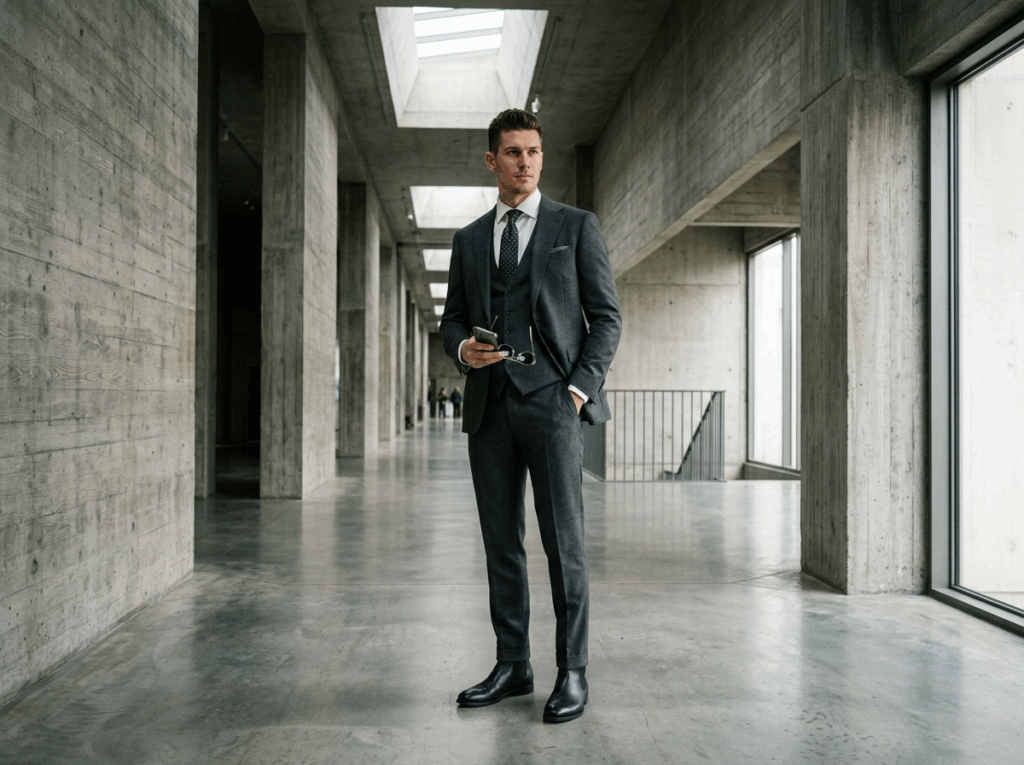
- Precise: "a fashion model in a tailored charcoal suit standing in a brutalist concrete hallway."
Add Style and Visual Direction
Style is one of the most important elements when learning how to prompt image generators.
By specifying a style, you guide the visual appearance of the image.
Common styles include: realistic, anime, 3D render, cinematic, watercolor
For example:
- "a city at night"
- "a city at night, cyberpunk style, neon lighting"
The second prompt gives stronger direction to image generators, resulting in more controlled and consistent outputs.
Describe Details (Lighting, Mood, Environment)
Details play a major role in Image Editor Online's AI image generator.
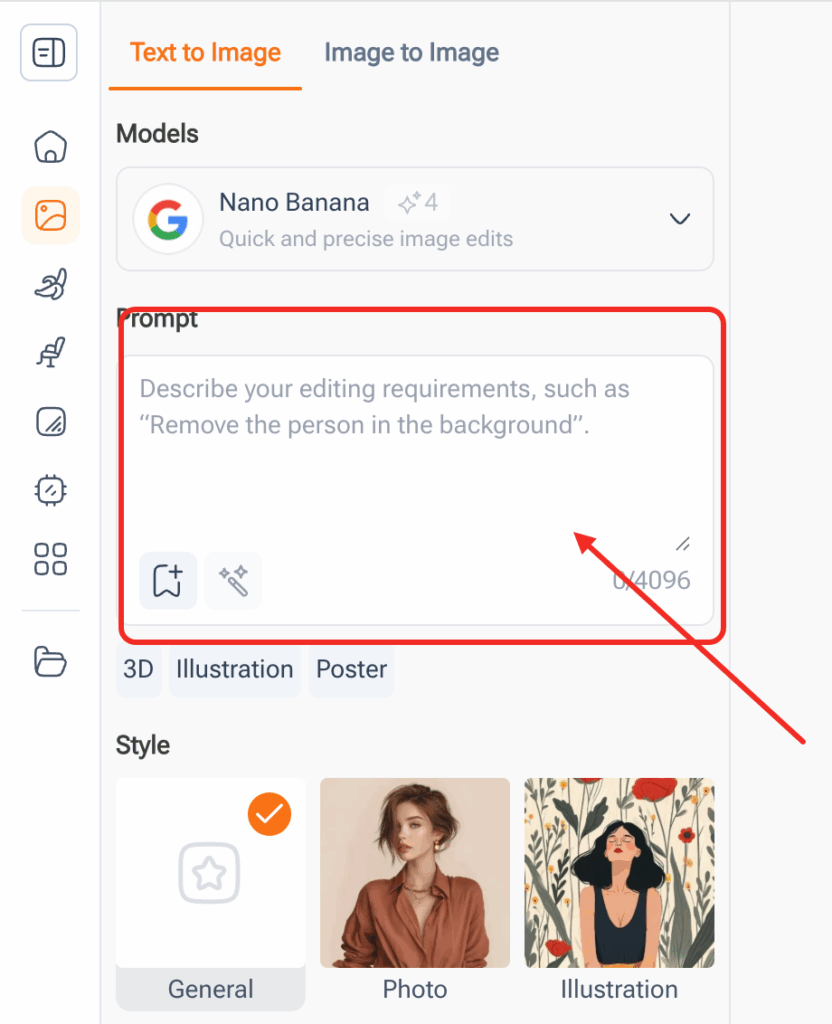
When writing prompts, always include:
- lighting (soft light, dramatic lighting, sunset)
- mood (calm, dark, energetic)
- environment (forest, city, indoor scene)
For example:
- "a forest"
- "a misty forest at sunrise, soft golden light, peaceful atmosphere"
Adding these elements helps image generators produce more realistic and immersive images.
Specify Perspective and Composition
Another important principle in how to prompt image generators is controlling perspective and composition.
You can guide the camera view by adding phrases such as: close-up, wide shot, aerial view, low angle, top-down view.
For example:
- "a cat sitting on a table"
- "a cat sitting on a table, close-up, low angle view"
This helps image generators better simulate photography-like results and improve visual storytelling.
Include Quality and Rendering Keywords
To enhance the output quality, you can add technical keywords when using image generators.
Common quality keywords include:
- ultra detailed
- high resolution
- 4K / 8K
- sharp focus
- highly realistic
For example:
- "a portrait of a man, realistic style"
- "a portrait of a man, ultra detailed, 8K, sharp focus, realistic style"

These keywords signal the image generator to produce higher-quality and more refined images.
A Proven Prompt Formula You Can Use
Now that you understand the core principles, let’s combine them into a practical formula for how to prompt image generators.
This formula helps you structure prompts consistently and improves your results with image generators.
Basic Prompt Formula
A simple and effective formula is:
👉 Subject + Style + Details
Example:
"a golden retriever sitting in a park, realistic style, warm lighting, sunset background"
This structure is a great starting point for anyone learning how to prompt image generators.
Advanced Prompt Template
For more control over AI image generation, you can use a more advanced structure:
👉 Subject + Action + Environment + Style + Lighting + Perspective + Quality
Example:
"a golden retriever running in a park, golden hour lighting, cinematic style, low angle shot, ultra detailed, 4K"
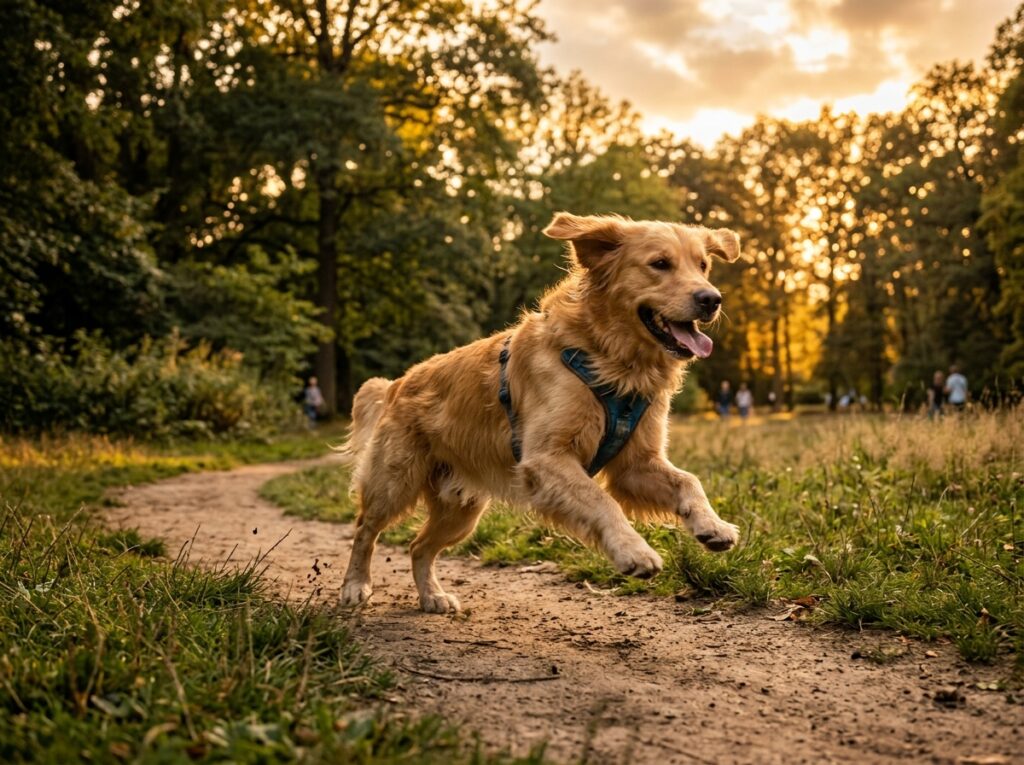
This type of structured prompt gives image generators much more information, resulting in higher-quality and more precise outputs.
Real Prompt Examples You Can Try
One of the best ways to improve your understanding of how to prompt image generators is by looking at real examples.
These examples show how different types of prompts can produce very different results in image generators. By studying and practicing them, you can quickly improve your own AI image generation skills.
Portrait Example
Portrait prompts focus on a person or character.
👉 Basic prompt: "a woman"
👉 Improved prompt: "a portrait of a young woman with long dark hair, soft lighting, natural expression, realistic style, shallow depth of field, ultra detailed"
This prompt gives image generators clear instructions about: subject (young woman), lighting (soft lighting), style (realistic), quality (ultra detailed).
When learning how to prompt image generators, portrait prompts are a great way to practice detail control.
Landscape Example
Landscape prompts describe environments and scenes.
👉 Basic prompt: "a mountain"
👉 Improved prompt: "a vast mountain landscape at sunrise, golden sunlight, mist in the valley, cinematic lighting, wide angle view, ultra realistic, high detail"
This type of prompt helps image generators understand:
- environment (mountain landscape)
- time of day (sunrise)
- atmosphere (mist, lighting)
- composition (wide angle view)
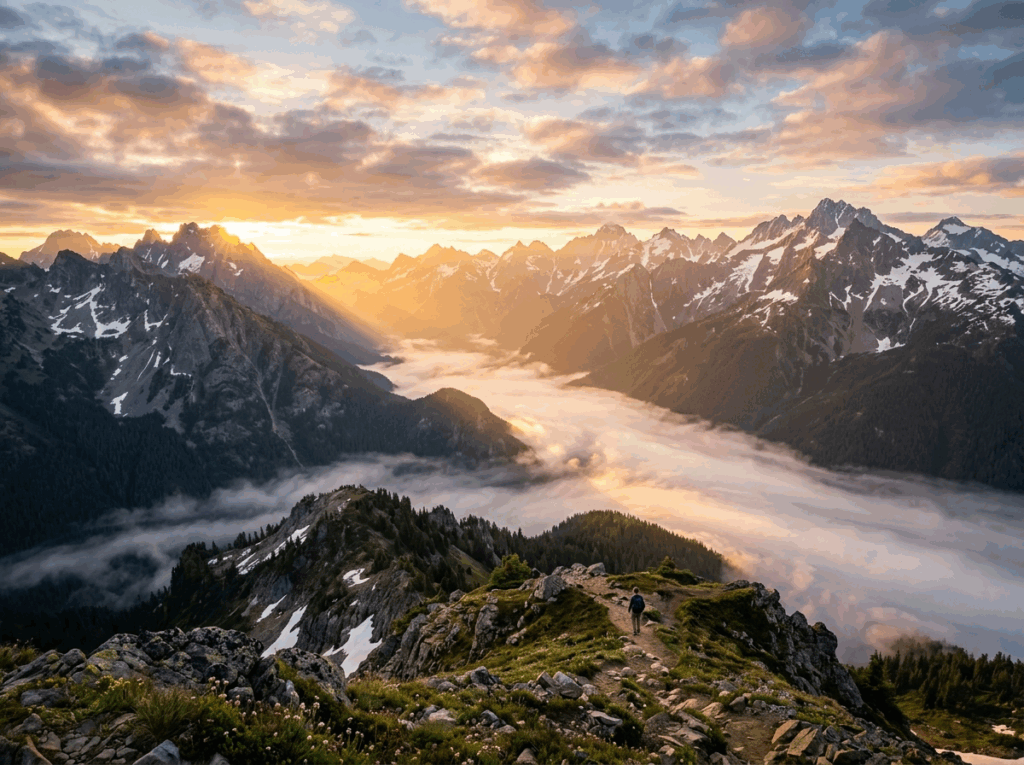
Using detailed landscape prompts is an important step in mastering how to prompt image generators effectively.
Product Image Example
Product prompts are useful for marketing and design purposes.
👉 Basic prompt: "a shoe"
👉 Improved prompt: "a clean product photo of a white sneaker on a plain background, soft studio lighting, shadow under the shoe, high resolution, commercial photography style"
This type of prompt helps image generators produce images that look professional and suitable for advertising.
Key elements include:
- clean background
- studio lighting
- commercial style
- high quality
Learning how to prompt image generators for product images is especially useful for e-commerce and branding.
Artistic Style Example
Artistic prompts allow you to explore different creative styles using image generators.
👉 Example:
"a city street in rain, neon lights reflecting on wet ground, cyberpunk style, inspired by futuristic digital art, vibrant colors, cinematic atmosphere"
This prompt demonstrates how to combine:
- subject (city street)
- style (cyberpunk)
- mood (rainy, cinematic)
- visual effects (neon reflections)
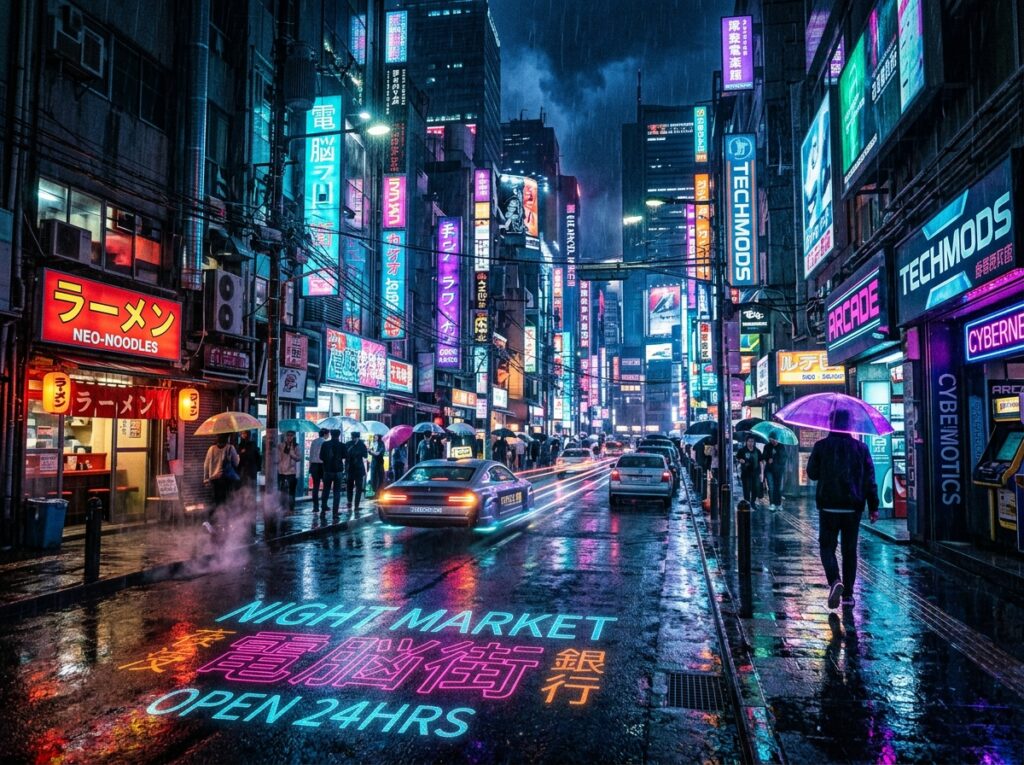
Using artistic prompts helps you understand the full creative potential of AI image generation.
Common Mistakes When Prompting Image Generators
Even when learning how to prompt image generators, many users make common mistakes that reduce the quality of their results.
Understanding these mistakes will help you improve faster when working with image generators.
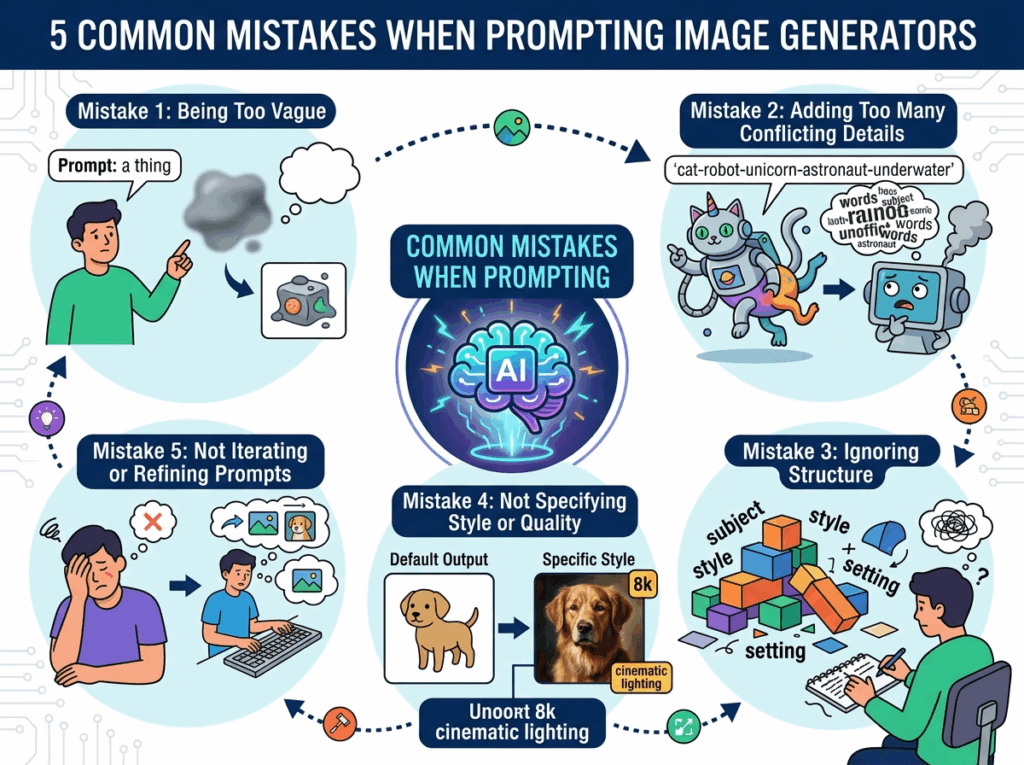
Mistake 1: Being Too Vague
A very common mistake is writing overly simple prompts.
Example: "a house"
This gives very little direction to the image generator, resulting in generic outputs.
👉 Better: "a modern house with large glass windows, surrounded by trees, sunset lighting, realistic style"
Mistake 2: Adding Too Many Conflicting Details
Another mistake is overloading the prompt with conflicting ideas.
Example: "a realistic, cartoon, futuristic, vintage, colorful, black and white city"
This confuses image generators because the styles contradict each other.
👉 When learning how to prompt image generators, clarity is more important than quantity.
Mistake 3: Ignoring Structure
Unstructured prompts can lead to unpredictable results.
Bad example: "city night neon rain cyberpunk futuristic lights dark"
Better: "a futuristic city at night, cyberpunk style, neon lights, rain, cinematic atmosphere"
Structure helps image generators understand your intent more clearly.
Mistake 4: Not Specifying Style or Quality
If you don’t specify style, image generators often produce generic results.
Example: "a cat"
Better: "a cute cat sitting on a table, soft lighting, realistic style, high resolution, detailed"
Adding style and quality is essential when learning how to prompt image generators.
Mistake 5: Not Iterating or Refining Prompts
Many beginners expect the first prompt to produce perfect results.
In reality, AI image generation works best through iteration.
Steps to follow:
- Generate an image
- Review the result
- Improve the prompt
- Try again
This iterative process is a core part of mastering how to prompt image generators.
Pro Tips to Improve Your Prompts
If you want to truly master how to prompt image generators, you need to go beyond basic structures and start applying advanced techniques consistently.
Here are some practical tips to improve your results with image generators:
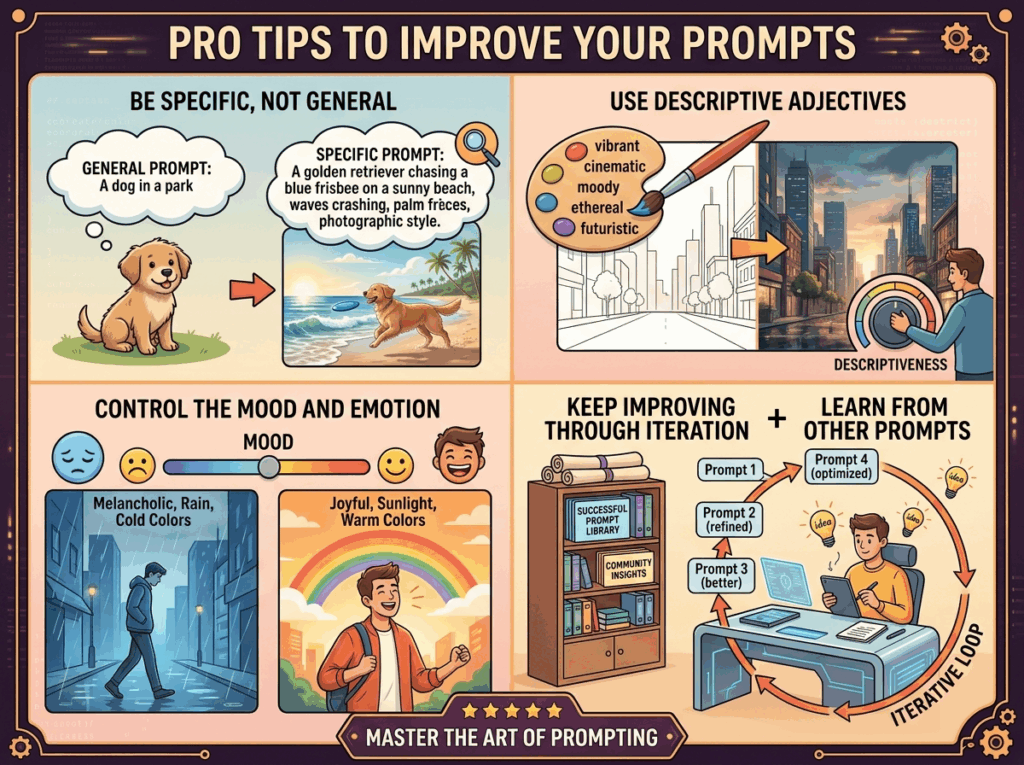
Be Specific, Not General
One of the most important rules in AI image generation is to be as specific as possible.
Instead of writing: "a car"
Try: "a red sports car parked on a city street at night, neon reflections, cinematic lighting, ultra detailed"
The more specific your prompt is, the better image generators can understand and execute your idea.
Use Descriptive Adjectives
Adjectives play a major role in how to prompt image generators.
Words like: "vibrant", "dark", "soft", "dramatic", "minimalist" help shape the final output.
👉 Example: "a vibrant futuristic city with glowing lights and a dark atmosphere"
Control the Mood and Emotion
When working with image generators, mood is just as important as visuals.
You can control mood by adding phrases like:
- calm atmosphere
- mysterious vibe
- energetic scene
- dramatic lighting
This gives your prompt emotional depth and improves the storytelling aspect of AI image generation.
Keep Improving Through Iteration
The best way to master how to prompt image generators is through continuous improvement.
Every time you generate an image:
- Review the result
- Identify what is missing
- Adjust your prompt
- Try again
This iterative process is how professionals consistently get high-quality results from image generators.
Learn from Other Prompts
Another powerful way to improve is by analyzing successful prompts.
Look at:
- community examples
- prompt libraries
- high-quality outputs
This will help you understand how experienced users approach AI image generation and how they structure their prompts.
Try It Yourself with an Online Image Generator
The best way to learn how to prompt image generators is by practicing.
There are many tools available that allow you to experiment with AI image generation in real time.
You can:
- test different prompt styles
- compare results
- refine your technique
Start with simple prompts, then gradually add more details as you become more comfortable with image generators.
👉 Tip: Try rewriting the same prompt in different ways and observe how the results change. This is one of the fastest ways to improve your understanding of how to prompt image generators.
Conclusion: Mastering How to Prompt Image Generators
Learning how to prompt image generators is a powerful skill that allows you to fully control the output of modern AI image generator.
By understanding: how to structure a prompt, how to describe details clearly, how to use styles, lighting, and composition,how to refine and iterate. You can dramatically improve the quality of images produced by image generators.
The key is practice. The more you experiment, the better your prompts will become—and the closer your results will match your vision.
👉 Start small, keep improving your prompts, and continue exploring the capabilities of image generators.