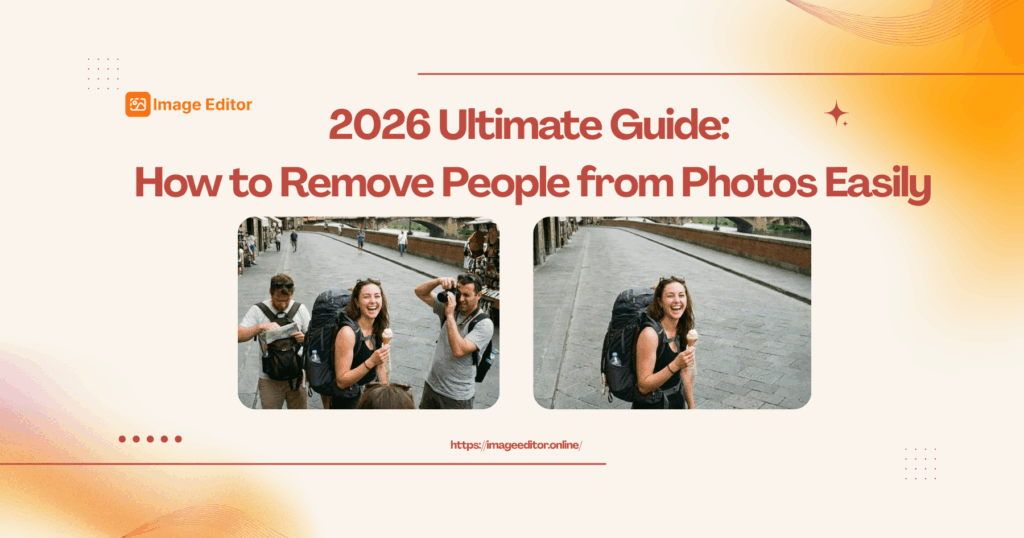
Whether you are capturing a breathtaking sunset at a tropical beach or a historic moment at a world-famous landmark, unwanted crowds can easily ruin an otherwise perfect frame. In 2026, learning how to remove people from photos is no longer a skill reserved for professional editors. With the rapid evolution of artificial intelligence, everyday users can now make strangers vanish from their pictures simply by typing a short text command.
In the past, fixing a photo ruined by a passerby required learning complex software and spending hours on pixel-by-pixel corrections. Today, however, with advanced models like Nano Banana Pro, the editing logic has completely changed. You no longer need to manually "paint" or "brush" over objects. Instead, you guide the AI through text prompts. This guide will dive deep into how you can use prompt-driven AI technology to elegantly solve the problem of how to remove people from photos.
Why Visual Purity is Critical for You
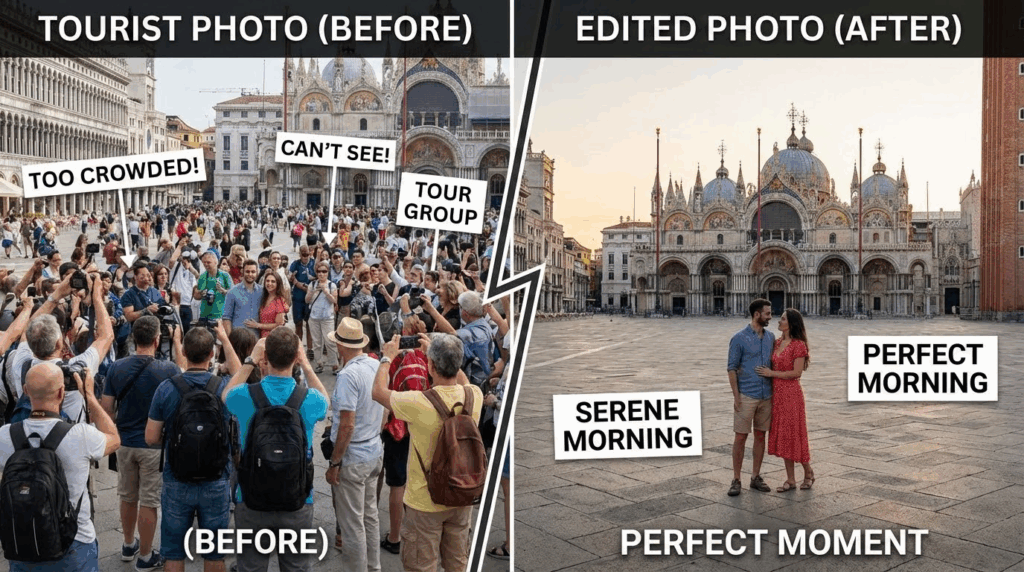
In today’s digital world, a clean photo often translates to higher engagement and brand trust. The core goal of learning how to remove people from photos is "visual subtraction." Every photo tells a story, and when random strangers appear in the background, they become "visual noise" that distracts the viewer. When you learn to use Nano Banana Pro to process your images, you are essentially purifying your visual language and ensuring the audience's gaze stays on the most important subject.
By mastering how to remove people from photos, you can transform an ordinary tourist snapshot into a high-end piece of art. Whether you are at the Eiffel Tower or a Balinese beach, you can create an atmosphere of "exclusivity." This sense of privacy is crucial for elevating the tone of your personal profile. Using the state-of-the-art Nano Banana Pro model, this high-end visual effect can now be achieved with just a single line of text.
Eliminating Visual Noise
When you research how to remove people from photos, you’ll realize that background pedestrians often break the balance of a composition. By clearing these distractions with AI, you significantly enhance the professional feel of the photograph.
Creating a Sense of Exclusivity
Mastering how to remove people from photos allows you to create an "empty venue" effect at any popular spot. This visual rarity is a key factor in attracting followers and making your content feel premium.
The 2026 Editing Revolution: From Manual Brushing to Prompt-Driven AI
Gone are the days of painstaking manual edits - 2026 has ushered in a new era where AI can transform your photos with just a simple instruction.
The Rise of Semantic Editing
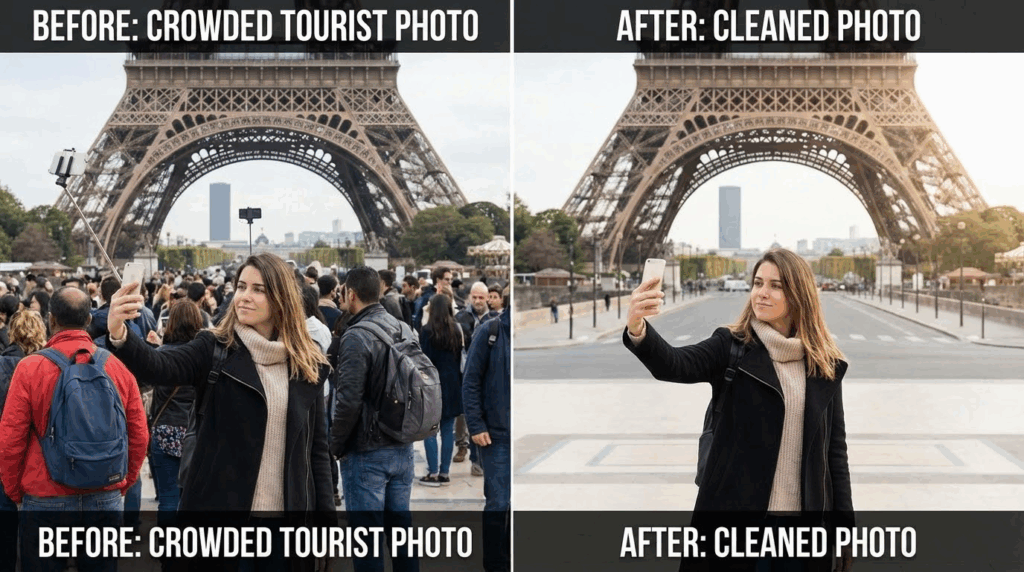
In 2026, the most advanced way to edit is "Semantic Editing." This mode allows users to enter instructions directly. The advantage of this approach is that the AI understands your intent. For example, when you type "Remove everyone in the background," the AI automatically identifies which elements are background people and which are foreground subjects. This logic-based understanding is much more precise than manual brushing and has completely changed our understanding of how to remove people from photos.
The Evolution of Generative Fill
The challenge of how to remove people from photos is not just "deleting" something, but "filling" the space. Traditional filling often leaves blurry patches. Prompt-driven AI, however, performs "pixel generation" based on the image context. It analyzes existing light, texture, and perspective to generate a perfectly consistent background, achieving a seamless repair. This technology ensures that the final result of how to remove people from photos reaches commercial photography standards.
How to Remove People from Photos
To ensure every reader can get started quickly, we have simplified the process into three intuitive steps. This method completely abandons tedious manual labor.
Step 1: Upload Your Original High-Res Image
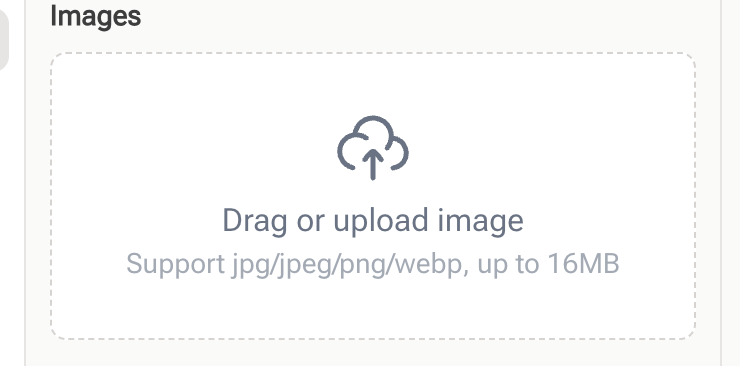
First, upload your photo to a platform that supports modern AI editing models.
Tip: To ensure the best results, always upload uncompressed original photos. The AI needs sufficient pixel data to identify edges and rebuild background textures. In the process of how to remove people from photos, the quality of the source material determines the realism of the final result.
Step 2: Input Your Prompt and Generate
This is the moment where the AI magic happens. In the instruction box, you can enter a prompt based on your needs. For example:
- "Remove all tourists in the background"
- "Delete the person standing next to the bench"
After clicking generate, the system will automatically lock onto the target and perform a seamless removal. This interaction makes how to remove people from photos as simple as having a conversation.

Step 3: Review and Download Lossless Results
The AI will provide the processed result within seconds. Carefully observe the area where the person was located to see if the background looks natural. If everything is perfect, click download. By following this method, you not only learn how to remove people from photos but also experience the convenience of future technology.
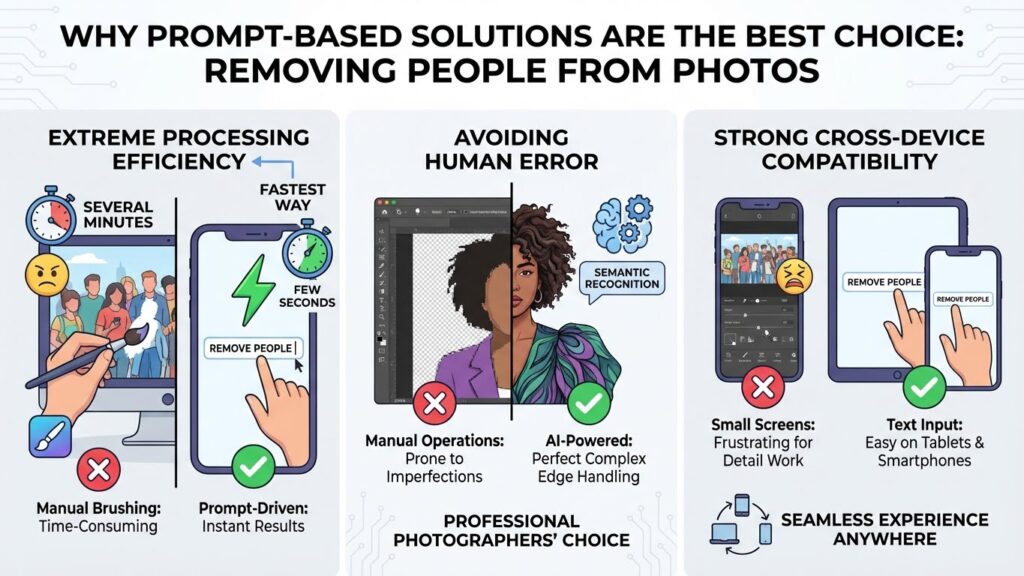
Why Prompt-Based Solutions are the Best Choice?
Unlock faster, smarter, and more efficient results with AI-driven prompts that save time and boost creativity.
Extreme Processing Efficiency
For scenes with multiple people, manual brushing can take several minutes. Inputting a line of text takes only a few seconds. This is currently the fastest way to solve how to remove people from photos.
Avoiding Human Error
Manual operations are prone to jagged edges. Prompt-driven AI uses semantic recognition to perfectly handle complex edges like hair and clothing. This is why more professional photographers are researching how to use prompts to solve how to remove people from photos.
Strong Cross-Device Compatibility
Performing fine brushing on a small mobile screen is frustrating. However, by typing text, you can easily complete the task of how to remove people from photos whether you are on a tablet or a smartphone.
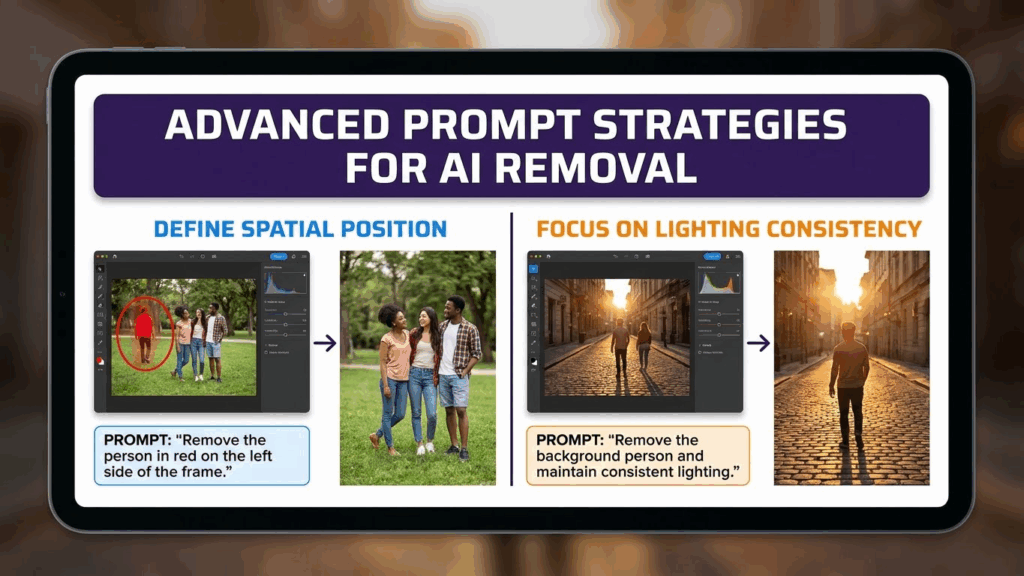
Advanced Strategies for Writing Prompts
Mastering AI removal isn’t just about clicking a button—you need to know how to communicate clearly with the system to get perfect results.
Define Spatial Position
If there are many people in the photo, using directional words helps a lot. For example: "Remove the person in red on the left side of the frame." This precise description significantly increases the success rate of the AI, making how to remove people from photos much more controllable.
Focus on Lighting Consistency
After removing a person, the effect is even better if you prompt the AI to optimize the lighting. For example: "Remove the background person and maintain consistent lighting." This is particularly effective when learning how to remove people from photos under complex lighting conditions, preventing the image from looking like a "sticker."
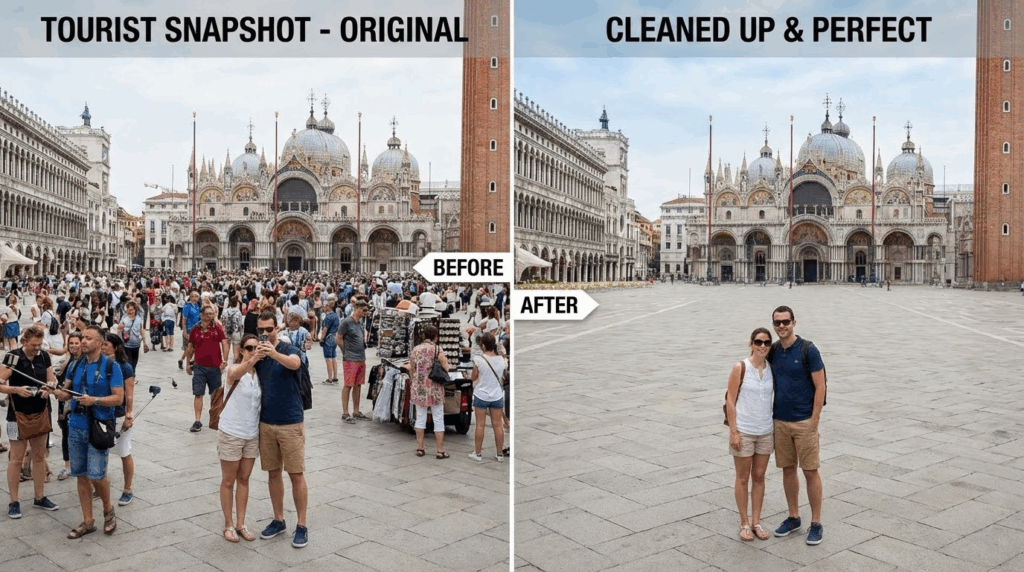
Scenario Guide: Reclaiming Your Memories
Every photo tells a story, and sometimes unwanted people can distract from those precious moments. Here’s how to reclaim your memories effortlessly using AI.
Travel and Vacation Scenes
Create a "private tour" feel at famous landmarks. Just enter "remove passersby," and instantly have the location to yourself. Mastering how to remove people from photos will earn you countless likes on social media.
Commercial Display Needs
E-commerce sellers can remove distracting reflections of people or background workers from product images. For professional sellers, learning how to remove people from photos is a required course to increase conversion rates.
Personal Portrait Enhancement
Remove strangers who wandered into your frame to make the photo cleaner. In the era of social media, mastering the skill of how to remove people from photos can significantly boost your personal brand.
Professional Tips for Solving "Removal Side Effects"
- Handling Residual Shadows: Sometimes AI removes the person but misses their shadow on the ground. If this happens, you can explicitly add "remove the person and their shadows" to your prompt. This is a key detail in maintaining realism when you how to remove people from photos.
- Dealing with Complex Textures: When the background consists of dense patterns or complex architecture, a single generation might not be perfect. You can try optimizing your prompt to guide the AI in repairing details step-by-step. This is the path to mastering high-level how to remove people from photos techniques.
- Attention to Reflections: Reflections on lakes or glass are also objects that need to be removed. Don't forget to include these details in your instructions; it is a mark of true mastery in how to remove people from photos.
FAQs About How to Remove People from Photos
Can I remove multiple people from a single photo at once?
Yes, absolutely. One of the greatest advantages of using text prompts for how to remove people from photos is the ability to target multiple subjects simultaneously. You can use a broad command like "remove all background people" or be specific by listing different groups. The AI is designed to handle multiple deletions in a single generation pass, saving you significant time compared to traditional manual tools.
Is it really possible to remove people from photos for free?
Yes. Many modern AI-driven platforms offer a free tier or a daily allowance for processing images. In 2026, the technology has become so accessible that you can effectively learn how to remove people from photos and get professional results without having to pay for an expensive monthly software subscription.
Will the background look blurry or fake after the person is removed?
If you use a high-quality model like Nano Banana Pro, the background will look incredibly sharp and natural. Unlike old-school tools that just blurred the area, modern generative AI creates new pixels that match the original texture of the photo. When people ask how to remove people from photos without losing quality, the answer is always to use generative AI that "understands" the scene.
Do I need to be a prompt engineering expert to use this tool?
Not at all. The beauty of 2026 AI is that it understands natural human language. You don't need to know code or technical jargon. Simply describing what you see—like "remove the tourist in the blue hat"-is enough. The AI handles the technical part of how to remove people from photos so you can focus on the creative side.
Can I use this tool on my iPhone or Android device?
Yes. Prompt-based editing is much easier on mobile than manual brushing. Since you only need to type a command, you can easily figure out how to remove people from photos while sitting at a cafe or on the bus, using nothing but your smartphone's web browser.
Does the AI remove shadows and reflections along with the people?
Generally, yes. High-end AI models are trained to recognize that a person is often accompanied by a shadow or a reflection on the floor. However, if the lighting is very complex, you can simply add "including shadows" to your prompt to ensure a perfect result when practicing how to remove people from photos.
What happens if the AI accidentally removes a person I want to keep?
Since this is a non-destructive editing process, you can easily "undo" the action or refine your prompt. For example, if the AI erases your friend, you can re-prompt with "only remove the people in the far background." This level of control makes how to remove people from photos a very flexible and forgiving process.
What is the best file format to use for the best results?
To get the most out of your efforts in how to remove people from photos, we recommend uploading high-resolution JPG or PNG files. The more pixel data the AI has, the better it can reconstruct the background details after the person is erased.
Conclusion: Opening Your Era of Visual Freedom
In this image-driven age, we should not be limited by the environment in which we take our photos. Mastering how to remove people from photos is not just about fixing a picture; it is about expressing your pursuit of beauty. By embracing prompt-driven AI technology, you will find that photo editing can be both fun and efficient.
Try using the most advanced models to clean up your photo album today. Let those moments ruined by strangers come back to life. If you are eager to experience this magic, follow the methods in this guide and start your first how to remove people from photos journey. You will be surprised to find that the perfect image is right at your fingertips.
By continuously practicing how to write prompts, you will discover even more possibilities for how to remove people from photos. From simple passerby removal to complex scene reconstruction, AI is reshaping the boundaries of photography, and all you need to master is how to communicate with it through words.