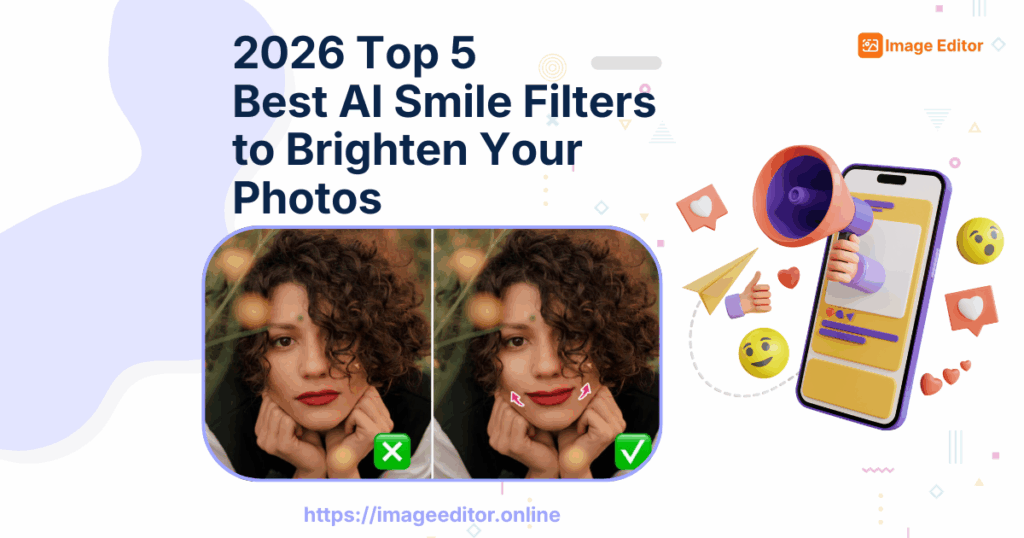
What is AI Smile Filter?
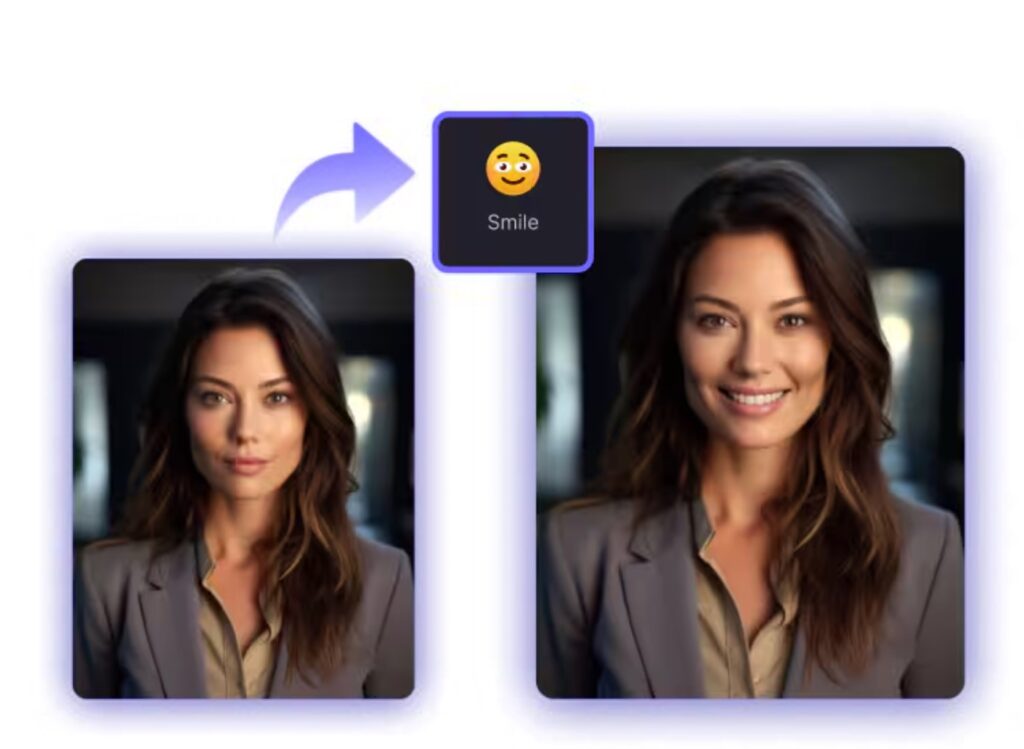
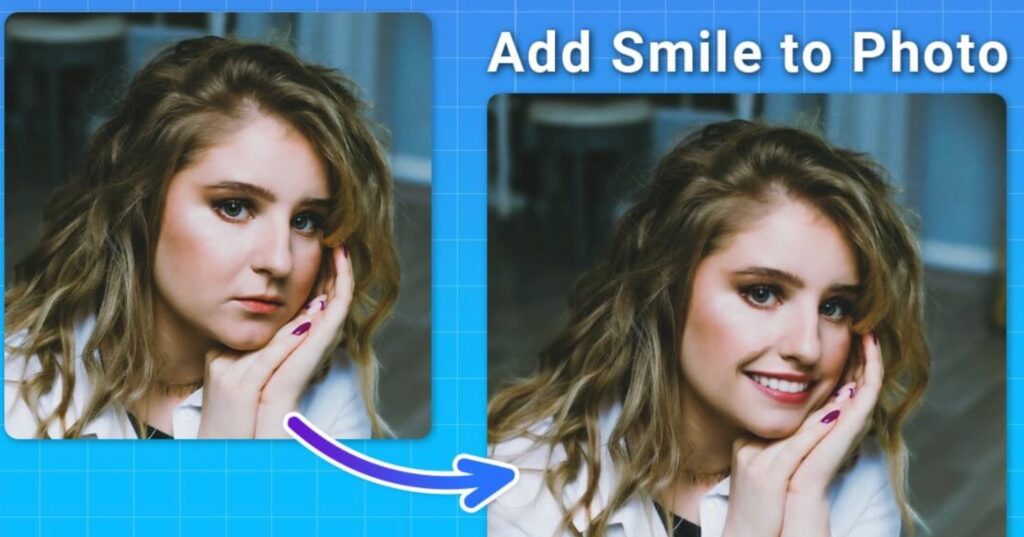
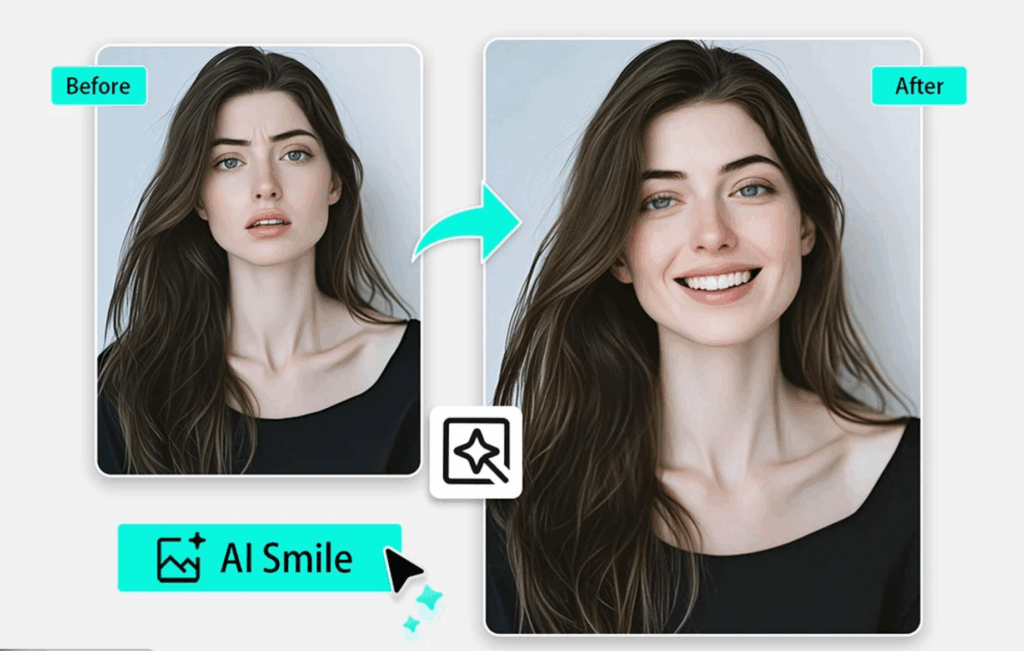
AI smile filters are advanced facial-enhancement tools that automatically add or refine a smile in photos, transforming neutral or serious expressions into warm, natural-looking smiles. Unlike traditional retouching that requires manual adjustments, the best ai smile filter uses deep learning models to analyze facial structure, detect expression patterns, and generate a balanced smile that blends seamlessly with the original face.
These tools are now widely used across social media, professional photography, branding, and digital content creation because they deliver fast, consistent, and realistic results without editing experience.
How AI Smile Filter Work
Modern AI smile filters operate by detecting key facial landmarks - such as lip corners, cheek position, teeth visibility, and micro-muscle tension - and then synthesizing a smile that fits the user’s facial proportions. High-end tools even adjust light, shadow, and skin texture to preserve authenticity.
Some advanced editors, like Image Editor’s AI Smile Filter, powered by Nano Banana Pro, use multi-layer neural rendering to maintain skin details, preserve color accuracy, and avoid the “plastic edit” effect common in older tools. This is why newer models have become the top choice for users searching for the best ai smile filter in 2026.
Common Use Cases
AI smile filters are widely used for:
- Selfies & social media:Make portraits friendlier
- Professional headshots:More confident, approachable profiles
- Branding & marketing:Cleaner customer-facing visuals
- Photography & creative work:Fix neutral expressions or produce alternatives
Across these scenarios, users look for the best ai smile filter that produces natural smiles without facial distortion.
Why AI Smile Editing Became Popular in 2026
AI smile editing surged in popularity due to major advancements in image-generation models:
- Sharper realism and better facial blending Tools powered by next-generation models - such as Image Editor’s AI Smile Filter, powered by Nano Banana Pro - can now adjust micro-expressions, skin tension, gum visibility, and cheek curvature with near-photographic accuracy.
- The rise of polished online presence With social media and remote work dominating personal branding, users want polished portraits without hiring a professional retoucher. AI smile editors became the fastest way to brighten a photo and improve approachability.
- Mainstream adoption of AI image editing tools From mobile apps to browser-based tools, AI face editing is now accessible to everyone. Upload a photo, choose a smile style, and the system generates a natural result in seconds - making AI smile filters one of the most widely used effects of 2026.
Overall, the best ai smile filter has evolved into an essential tool for anyone looking to enhance portraits naturally, elevate social media aesthetics, or refine professional visuals with minimal effort.
What to Look for in the Best AI Smile Filter
Choosing the best ai smile filter comes down to realism, blending, and usability.
Smile Realism & Blending Accuracy
A strong ai smile filter should:
- Preserve facial structure
- Produce balanced expressions
- Maintain natural lighting and skin texture
- Add subtle micro-expressions
- Avoid stiff or artificial results
Tools like Image Editor powered by Nano Banana Pro excel due to precise facial landmark detection.
Teeth Whitening & Facial Retouching
Look for:
- Natural teeth whitening
- Improved gum exposure and lip contours
- Gentle smoothing of smile lines
- Subtle tone corrections without over-editing
Speed, UI & Ease of Use
The best ai smile filter should offer:
- Fast online processing
- Clean and intuitive UI
- Adjustable smile strength
- Smooth performance across devices
Top-tier tools combine realistic smiles, thoughtful retouching, and a frictionless editing experience.
2026 Top 5 Best AI Smile Filters (Reviewed)
The demand for the best ai smile filter has grown rapidly in 2026, and users now expect tools that create natural expressions, preserve facial identity, and deliver high-quality results with minimal effort. Below is a detailed review of the five best options, focusing on realism, workflow efficiency, and everyday usability.
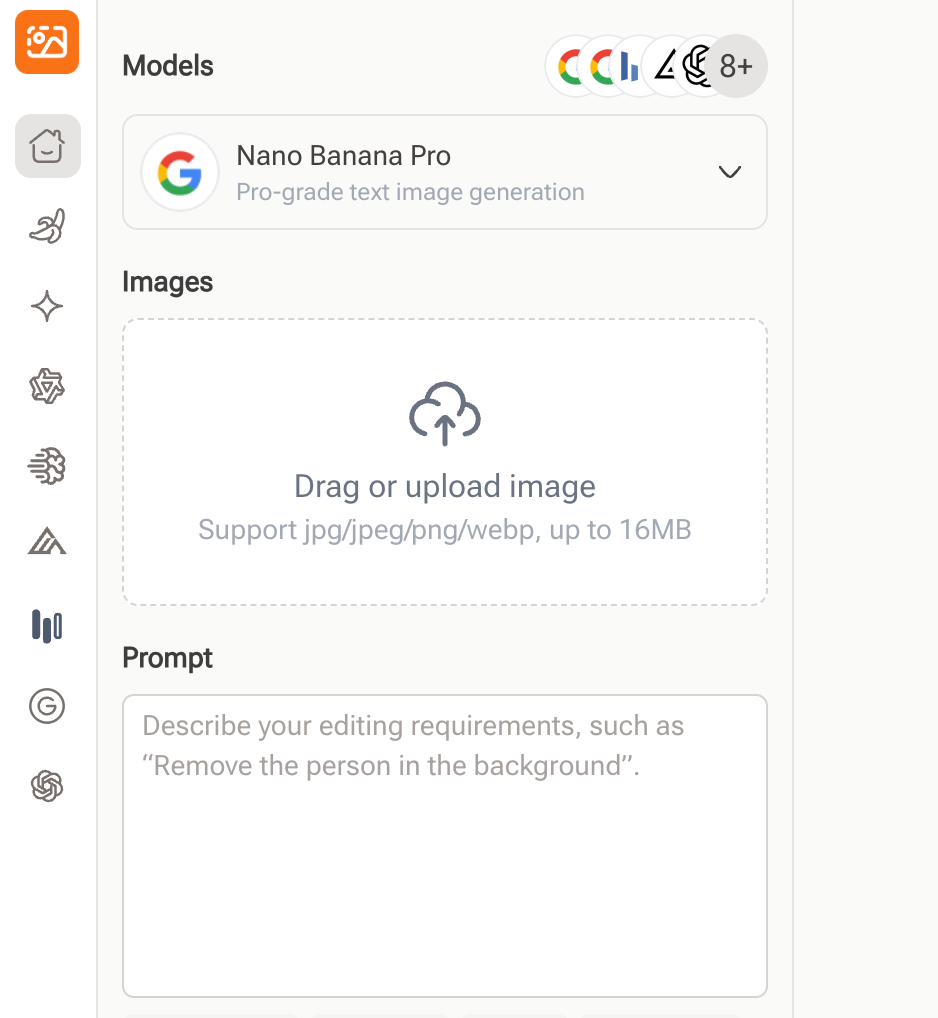
Image Editor - Best Overall For Natural, Customizable Smiles
Best for: users who want realistic, high-resolution smiles with prompt-level control. Platforms: web-based, works in modern browsers.
Image Editor is positioned as the best ai smile filter for users who care about realism first and effects second. Instead of adding a generic “happy” overlay, it reads the existing facial structure and subtly builds a smile that matches the person’s real proportions. Cheek lift, lip curve, and even the way the eyes soften are generated as one coherent expression instead of separate edits.
Where many tools focus on simple sliders, Image Editor supports prompt-based control. You can describe the smile you want, such as “subtle friendly smile for LinkedIn headshot” or “big joyful smile for social media selfie,” and let the system interpret both expression style and intensity. This is extremely helpful if you are editing different types of photos in one session, for example:
- A light, professional smile for CV or LinkedIn.
- A bigger, more playful smile for Instagram or TikTok.
- A gentle, closed-mouth smile for more formal portraits.
Because Image Editor is built as a full image Editor rather than only a filter, you can also refine background, lighting, and skin details in the same workspace. That makes it easier to keep the entire photo consistent instead of fixing the smile in one app and retouching the rest in another.
Strengths:
- Very natural facial blending with minimal distortion.
- Works well on close-up headshots and full-face selfies.
- Prompt-based control for different smile styles and intensity.
- High-resolution output suitable for professional use.
- Runs in the browser, no heavy software required.
Limitations:
- Requires an internet connection and a modern browser.
- Because it offers more control than a simple one-click app, first-time users may need a few minutes to explore all options.
If you are looking for a single tool that can handle everything from casual social posts to polished business portraits, Image Editor is the most balanced and flexible choice and a strong candidate for the best ai smile filter overall.
2. Adobe Photoshop Express - Best AI Smile Filter for Precision Edits
Adobe Photoshop Express offers a refined smile-editing feature powered by Adobe’s imaging technology. It is one of the best ai smile filter options for users who prefer precise control rather than simple one-click edits. The tool maintains texture and realism while letting users make small, accurate adjustments that do not compromise identity.
Best for: mobile editors who want detailed smile refinement. Strengths: subtle adjustments, high-quality rendering, strong retouching tools.
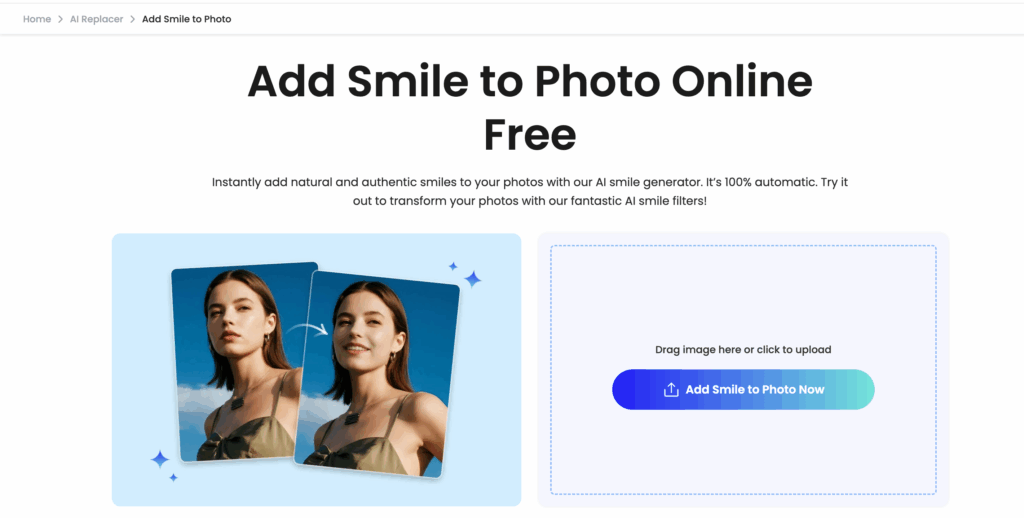
3. Fotor AI Smile Filter - Best AI Smile Filter for Fast Social Media Enhancements
Fotor provides one of the quickest workflows among the best ai smile filter tools. Its smile slider allows users to instantly brighten expressions without technical knowledge. While it prioritizes speed and convenience, it still produces results clean enough for everyday social media content.
Best for: users who want quick, friendly smiles for Instagram, Facebook, or dating profiles. Strengths: simple UI, fast processing, beginner-friendly.
4. YouCam Makeup - Best AI Smile Filter for Beauty-Focused Editing
YouCam Makeup blends smile editing with beauty retouching, making it one of the best ai smile filter choices for users who want a complete makeover tool. If your goal is to enhance expressions while also applying makeup, softening skin, or adjusting lighting, this app delivers cohesive and polished results.
Best for: influencers, lifestyle creators, and users who prefer stylized portrait edits. Strengths: real-time previews, makeup integration, easy expression adjustment.
5. HeyPhoto Gimme a Smile - Best AI Smile Filter for Free, Simple Edits
HeyPhoto’s smile generator is a lightweight browser tool, making it one of the easiest best ai smile filter options for new users. It focuses on simple expression enhancement through a clear slider-based interface. Although it does not have advanced customization, it performs well for quick everyday edits.
Best for: casual users who want a fast, free solution. Strengths: no learning curve, quick results, accessible for all devices.
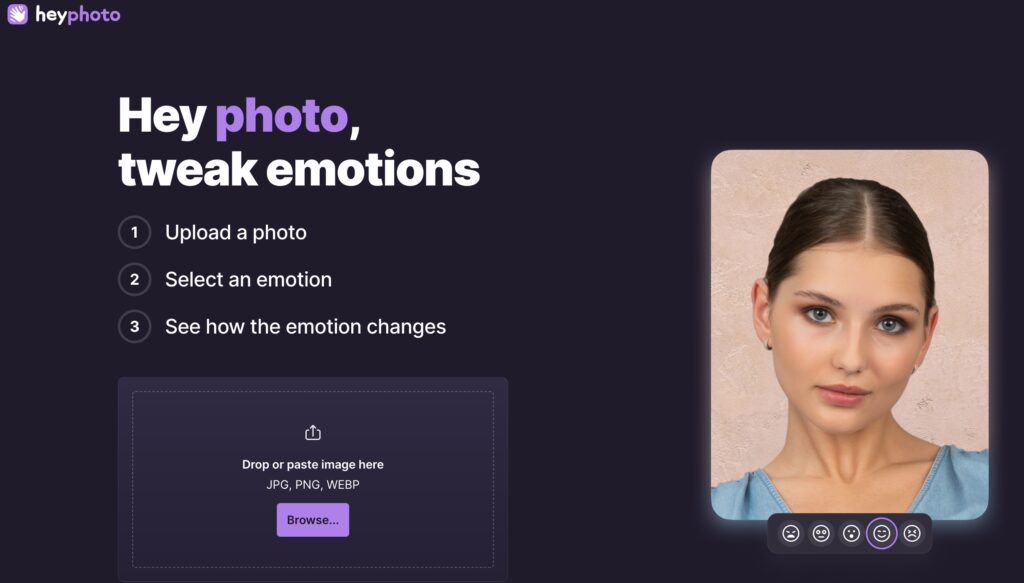
Across all five options, Image Editor consistently stands out as the best ai smile filter due to its balance of realism, control, and speed. If you need one reliable tool that works for both personal and professional portraits, Image Editor is the strongest all-around choice in 2026.
How to Use Image Editor: Step-by-Step Guide
Using Image Editor’s ai smile filter is simple and fast. Whether you're editing selfies, headshots, or branded portraits, you can generate a natural, realistic smile in just a few seconds. Follow the steps below to get your final smiling photo with pro-quality results.
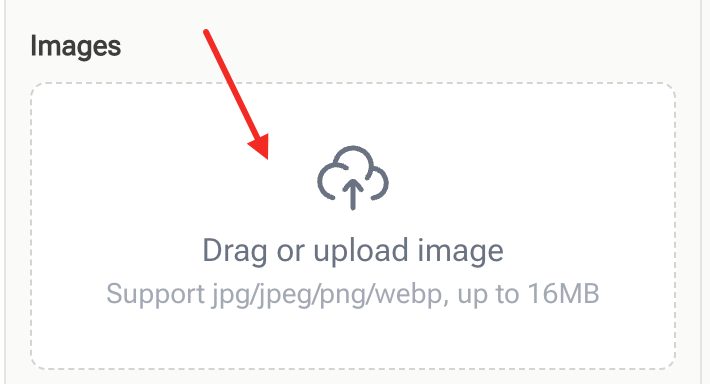
Step 1 — Upload Your Photo
Open Image Editor and click Upload Image. Choose a clear selfie or portrait for the best face-detection accuracy. The system will automatically analyze facial structure, lighting, and texture to prepare for smile generation.
Step 2 — Enter Your Prompt
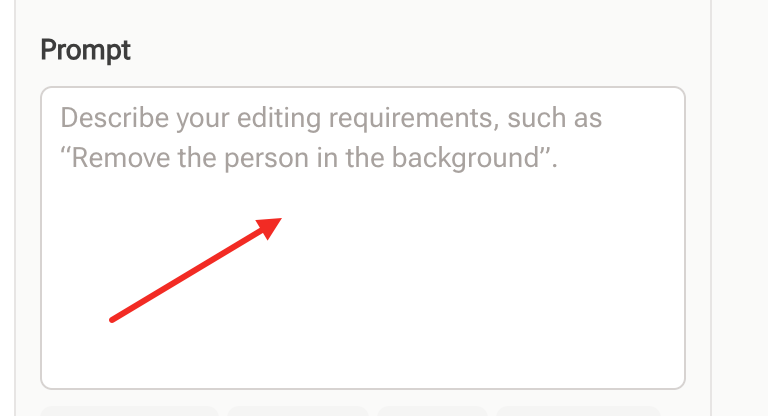
In the editing panel, select nano banana pro and type a short prompt — for example: “add a natural smile,” “make the expression friendly,” or “create a subtle professional smile.” Nano Banana Pro will generate a balanced expression that blends seamlessly with your real features.
Step 3 — Download Your Final Smiling Photo
Once the ai smile filter finishes processing, preview the result and click Download. You can export the photo in high resolution for social media, resumes, marketing materials, or any personal use.
With these three steps, Image Editor makes smile editing effortless - giving you realistic, polished results without professional retouching.
FAQs About AI Smile Filters
IS AI smile filter safe for portraits?
Yes. tools in the best ai smile filter category use precise facial-mapping to ensure edits stay natural and structurally safe. They adjust expressions without altering identity, making them reliable for selfies, headshots, and professional portraits.
Which tool gives the most realistic smile?
Image Editor is widely considered the best ai smile filter for realism thanks to Nano Banana Pro’s facial-landmark detection and micro-expression rendering. It produces balanced, lifelike smiles that blend seamlessly with lighting and texture.
Can AI make a smile look unnatural?
Low-tier apps can, but the best ai smile filter models avoid this by preserving skin texture, proportions, and natural lighting. With high-quality tools, smiles stay subtle, believable, and free from distortion.
Is there a fully free AI smile editor?
There are free options, but quality differs. Image Editor offers a free tier powered by Nano Banana Pro, making it one of the strongest no-cost choices within the best ai smile filter category for natural smile editing.
Do AI smile filters work well on low-light or blurry photos?
Some advanced tools can still generate natural smiles on low-light images, but blurry photos may reduce accuracy. For best results, use a clear portrait with visible facial details.
Can AI smile filters edit photos of children or older adults?
Yes. Most models are trained on a wide range of face types and ages, producing age-appropriate smiles that look natural rather than exaggerated.
Will AI smile editing look obvious to others?
With high-quality tools, most viewers cannot tell the smile was edited. Poor-quality tools, however, may create sharp edges or mismatched lighting, which look artificial.
Can I use AI smile filters for professional headshots?
Yes. Many people use smile editing to create a more approachable expression for resumes, LinkedIn, company profiles, and speaker pages. Just make sure the final result stays subtle and natural.
Conclusion
AI smile filters have quickly become essential tools for anyone looking to improve portraits, social media photos, or professional headshots. With modern models capable of analyzing facial structure, preserving texture, and generating emotionally accurate expressions, users can now create natural-looking smiles in seconds. The best ai smile filter is no longer about adding a simple effect - it is about enhancing personality, warmth, and confidence while keeping the original identity intact.
After comparing the leading options, Image Editor stands out as the most reliable and well-rounded choice in 2026. It consistently produces realistic expressions, maintains high image quality, and offers a smooth workflow suitable for beginners and professionals alike. Whether you are upgrading portraits for work, refreshing your online presence, or simply improving everyday selfies, using the best ai smile filter can elevate your photos with minimal effort.
As AI continues to improve, smile editing will become even more precise, expressive, and accessible, making it easier than ever to create portraits that feel genuine, friendly, and camera-ready.